 Talpha











How it works
You place a QR code with an offer and a link to the bot.
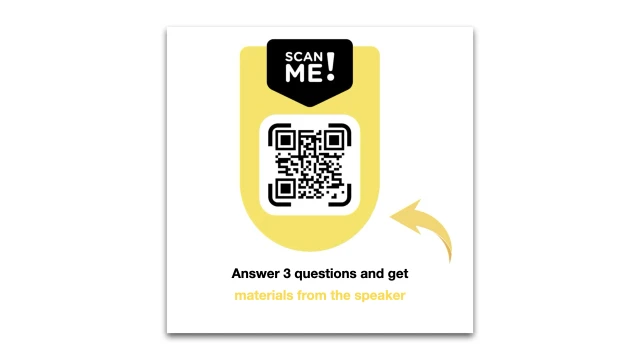
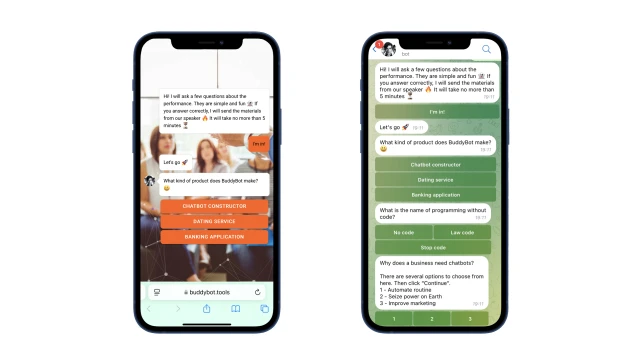
A participant scans the code and launches the bot in a browser or messenger. The bot asks questions with multiple answers, and scores points for the correct ones.
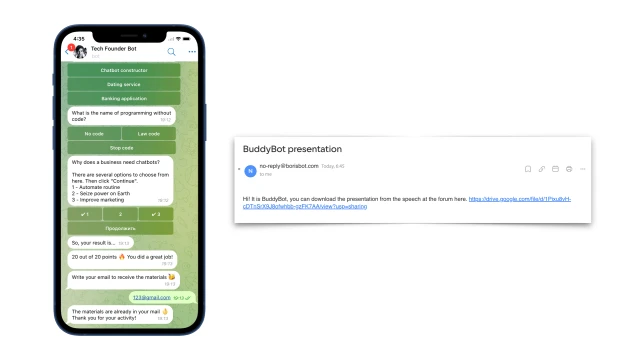
At the end, the bot calculates the result and sends the script. If a participant completes the tasks, it saves the email and immediately sends the materials. You can set up another communication channel: Telegram or SMS. If the answers are incorrect, then the survey can be completed again.
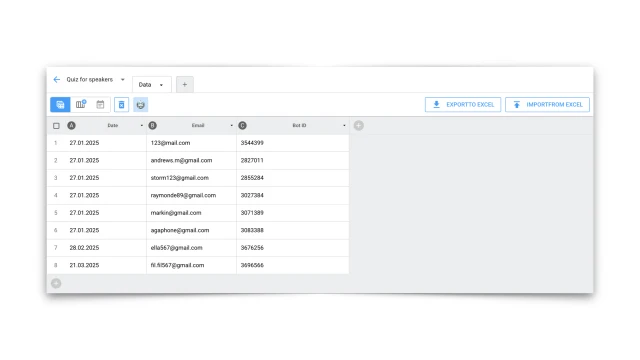
The collected contacts are saved to a table.
How to set up the bot
✔️ Register in the BuddyBot constructor, create a project and add the "Quiz for Speakers" template.
✔️ Prepare the questions and edit the script in the constructor. You can find out how to work in scripts here.
✔️ To make your bot work in messengers, connect these channels in the constructor according to the instructions: Telegram.
✔️ The template is configured to save the quiz results to a table. You can delete this step or edit it for yourself. You can learn more about working with tables here.
✔️ Test the script on yourself. If you have any questions about self-configuration, contact the community on Telegram.
Look for even more ready-made bots for marketing here.