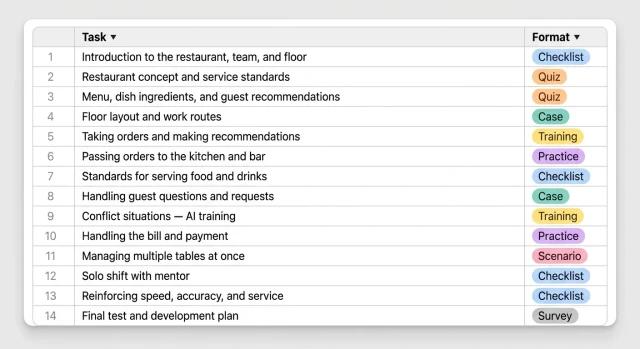
Talpha









How it works
HR sends a new waiter a bot link — via email, QR code, or automatically when they are added to staff. The waiter opens the bot in Telegram or WhatsApp and immediately receives a 14-day plan. The bot guides them through each stage — learning the floor layout and service standards in week one, an AI guest simulation before the first solo section.
From day one, the waiter knows what to do and who to reach out to — no stack of manuals, no hour-long briefing.
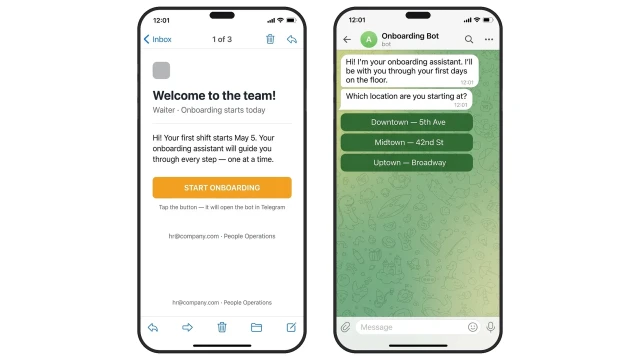
Every morning the bot sends the task of the day: what to study in the menu, which service standard to review, what to mark as done.
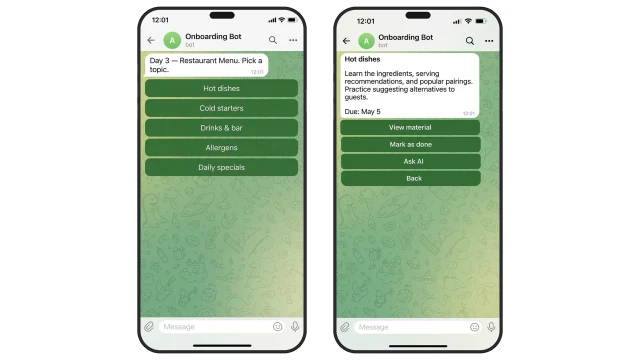
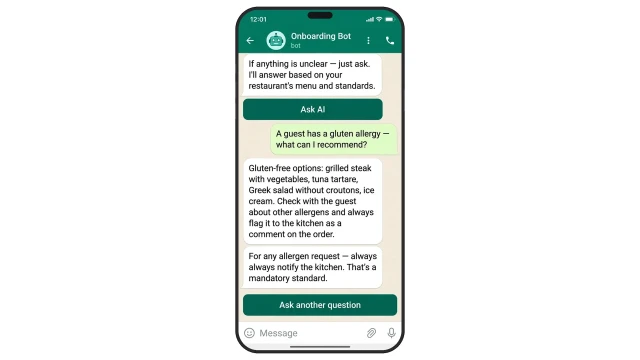
If anything is unclear, the AI assistant answers questions from the venue knowledge base — dish ingredients, allergens, standards, order system — with no HR or mentor needed.
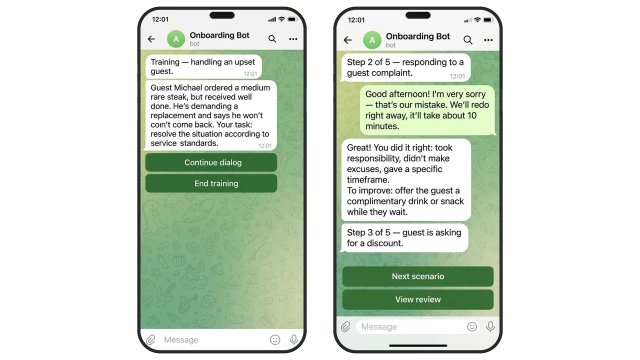
In week two, the bot offers a practice session before the first solo section: the AI takes on the role of a difficult guest and runs a role-play based on real service scenarios. The waiter responds, and the bot reviews each answer — what worked and what to improve.
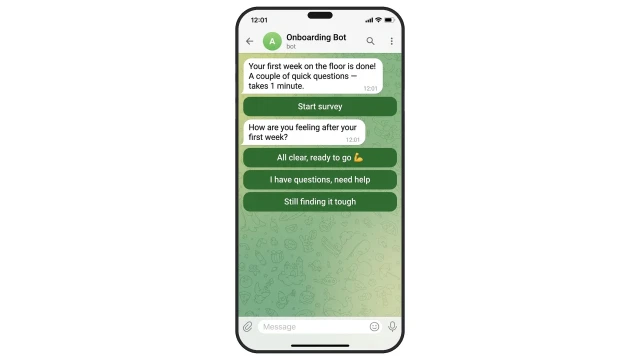
On days 7 and 14, the bot automatically sends a pulse check. The manager learns about any difficulties before the new waiter starts looking for another job.
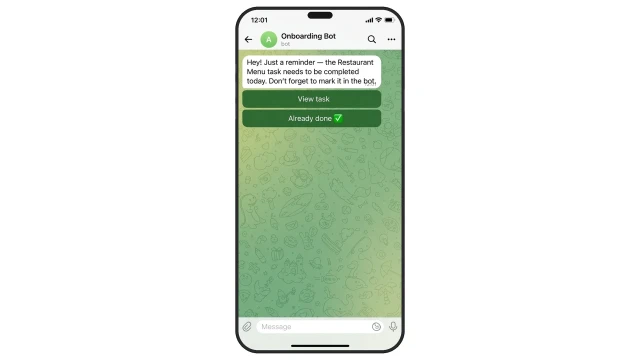
If a waiter misses a task deadline, the bot automatically sends a reminder — no manual follow-up needed from HR or the manager.
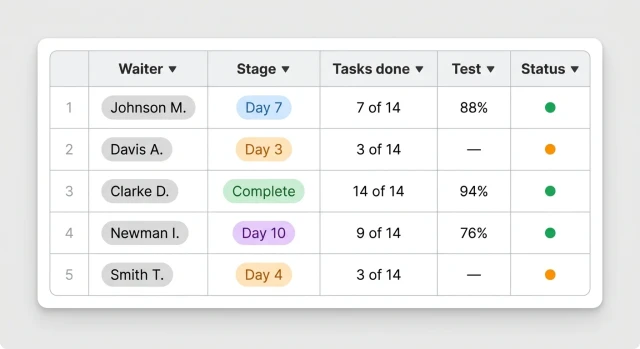
While the waiter is going through onboarding, the manager can see everyone's progress in a shared dashboard: what stage they're at, how many tasks are done, and their test scores.
The template comes with a ready-made 14-day waiter onboarding plan — tasks load automatically, and you just need to adapt them to your menu and venue standards.
Day 1.
Task: Introduction to the restaurant, team, and floor.
What to do: Meet with mentor and manager, get to know the floor, kitchen, bar, schedule, uniform, and support channels.
How to check: First day checklist in the bot.
Day 2.
Task: Restaurant concept and service standards.
What to do: Study the venue format, target audience, guest communication rules, tone of voice, and service expectations.
How to check: Mini-test in the bot.
Day 3.
Task: Menu — dishes, ingredients, allergens, recommendations.
What to do: Study dishes, ingredients, allergens, drinks, specials, and popular pairings.
How to check: Menu questions in the bot.
Day 4.
Task: Floor layout and work routes.
What to do: Tables, sections, numbering, path from kitchen to floor, where to find cutlery, napkins, water, and bills.
How to check: Interactive case in the bot.
Day 5.
Task: Taking orders and making recommendations.
What to do: Greeting order, clarifying preferences, repeating the order, recommendations, checking details.
How to check: Role-play simulation in the bot.
Day 6.
Task: Passing orders to the kitchen and bar.
What to do: Working with the order system, sending rules, dish comments, time control.
How to check: Practical assignment in the bot.
Day 7.
Task: Standards for serving food and drinks.
What to do: Serving order, plating rules, checking completeness, serving hot and cold dishes.
How to check: Checklist simulation.
Day 8.
Task: Handling guest questions and requests.
What to do: Menu questions, ingredients, waiting times, ingredient substitutions, children's and dietary requests.
How to check: Case test in the bot.
Day 9.
Task: Conflict situations — AI training.
What to do: Upset guest, complaint about a dish, order delay, billing error, service dissatisfaction.
How to check: Communication scenarios in the bot.
Day 10.
Task: Handling the bill and payment.
What to do: Checking the bill, splitting, cash, card, tips, closing the table.
How to check: Practical assignment in the bot.
Day 11.
Task: Managing multiple tables at once.
What to do: Task prioritization, time control, action sequence, attention management.
How to check: 3-table scenario in the bot.
Day 12.
Task: Solo shift with mentor.
What to do: Serve guests with minimal mentor support, use checklists and standards.
How to check: Spot check by mentor.
Day 13.
Task: Reinforcing speed, accuracy, and service.
What to do: Work in regular flow, monitor quality of service, communication, and table closing.
How to check: Quality checklist assessment.
Day 14.
Task: Onboarding wrap-up and development plan.
What to do: Final test, review of strengths and areas to improve, development plan for the next month.
How to check: Final status in the bot and mentor's assessment.
Task: Introduction to the restaurant, team, and floor.
What to do: Meet with mentor and manager, get to know the floor, kitchen, bar, schedule, uniform, and support channels.
How to check: First day checklist in the bot.
Day 2.
Task: Restaurant concept and service standards.
What to do: Study the venue format, target audience, guest communication rules, tone of voice, and service expectations.
How to check: Mini-test in the bot.
Day 3.
Task: Menu — dishes, ingredients, allergens, recommendations.
What to do: Study dishes, ingredients, allergens, drinks, specials, and popular pairings.
How to check: Menu questions in the bot.
Day 4.
Task: Floor layout and work routes.
What to do: Tables, sections, numbering, path from kitchen to floor, where to find cutlery, napkins, water, and bills.
How to check: Interactive case in the bot.
Day 5.
Task: Taking orders and making recommendations.
What to do: Greeting order, clarifying preferences, repeating the order, recommendations, checking details.
How to check: Role-play simulation in the bot.
Day 6.
Task: Passing orders to the kitchen and bar.
What to do: Working with the order system, sending rules, dish comments, time control.
How to check: Practical assignment in the bot.
Day 7.
Task: Standards for serving food and drinks.
What to do: Serving order, plating rules, checking completeness, serving hot and cold dishes.
How to check: Checklist simulation.
Day 8.
Task: Handling guest questions and requests.
What to do: Menu questions, ingredients, waiting times, ingredient substitutions, children's and dietary requests.
How to check: Case test in the bot.
Day 9.
Task: Conflict situations — AI training.
What to do: Upset guest, complaint about a dish, order delay, billing error, service dissatisfaction.
How to check: Communication scenarios in the bot.
Day 10.
Task: Handling the bill and payment.
What to do: Checking the bill, splitting, cash, card, tips, closing the table.
How to check: Practical assignment in the bot.
Day 11.
Task: Managing multiple tables at once.
What to do: Task prioritization, time control, action sequence, attention management.
How to check: 3-table scenario in the bot.
Day 12.
Task: Solo shift with mentor.
What to do: Serve guests with minimal mentor support, use checklists and standards.
How to check: Spot check by mentor.
Day 13.
Task: Reinforcing speed, accuracy, and service.
What to do: Work in regular flow, monitor quality of service, communication, and table closing.
How to check: Quality checklist assessment.
Day 14.
Task: Onboarding wrap-up and development plan.
What to do: Final test, review of strengths and areas to improve, development plan for the next month.
How to check: Final status in the bot and mentor's assessment.