 Talpha







How it works
You add the HR bot to your Slack workspace. An employee opens the chat and selects a category and subcategory, such as “Corporate Life” and “Events and activities”.
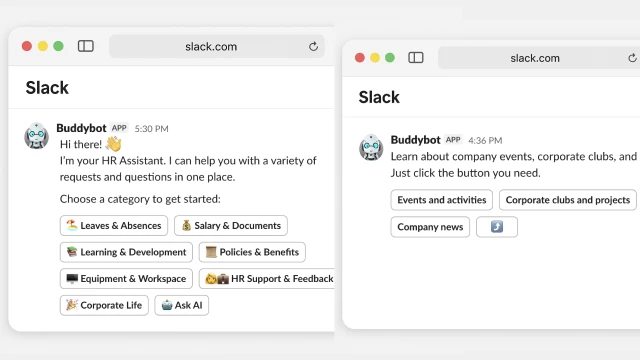
The bot displays convenient forms or action buttons and helps quickly submit requests or get information. For example, employees can apply for vacation, check remaining days off, or request an income certificate — all directly in chat.
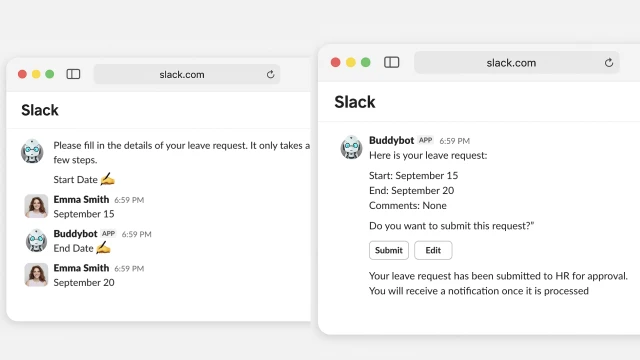
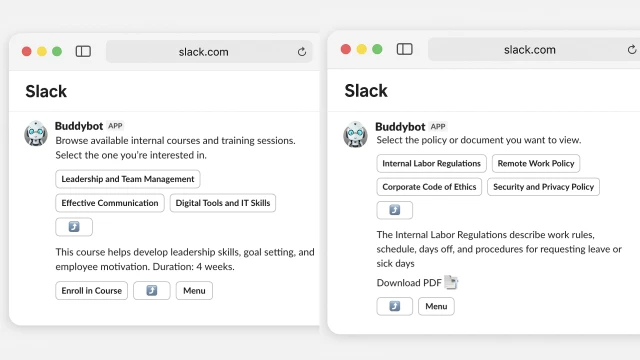
All bot actions are integrated with internal HR systems: requests are automatically logged, and employees receive notifications about the status of their requests.
If an employee cannot find the answer to their question, they can reach out to HR, and the bot instantly forwards the notification via direct message.
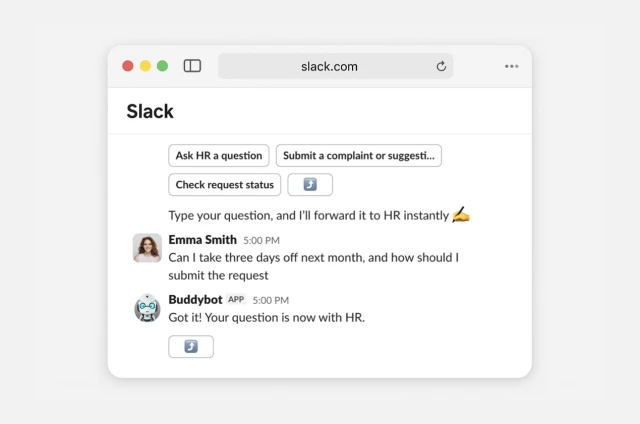
The bot can also be connected to ChatGPT, which will answer any employee questions based on your company’s knowledge base.
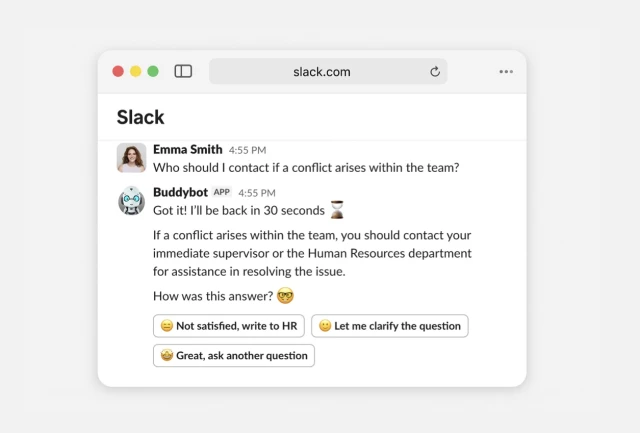
In this way, the bot turns Slack into a single “window” for all HR processes: employees quickly get answers, submit requests, and save time, while HR reduces the workload of routine queries and can focus on more strategic tasks.
How to set up this bot
✔️ Register in the builder create a project, and add this template.
✔️ Connect the bot to Slack via the Settings section in the builder. You’ll need to create an app and add it to your workspace.
✔️ Set up the workflow for your HR service. Prepare categories of questions, information, documents, and links. If needed, configure integrations with your internal services. You can also add other templates to the workflow — for example, an AI knowledge base for employees. Explore all templates here.
✔️ Test the workflow.