 Talpha










How it works
The AI assistant can be used at any stage of the selection process: add a link to the vacancy or send it to a candidate after the interview.
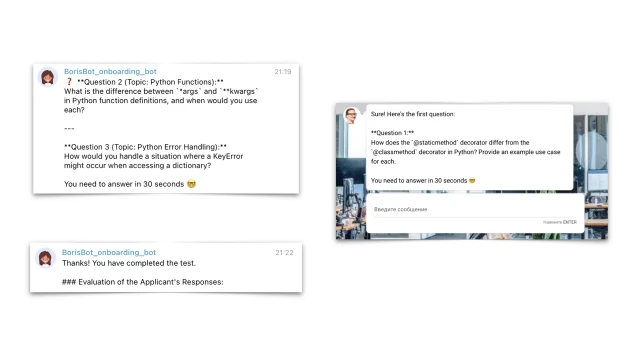
The bot runs in a browser or messenger, explains the rules and asks questions. In the template, we asked AI to test the Python knowledge of a middle-level developer: ask 4 random questions and rate the answers on a scale from 1 to 10.

GPT sends a question that needs to be answered in free form within 30 seconds. The time limit can be changed or removed. If a candidate responds on time, the bot accepts and evaluates the response.
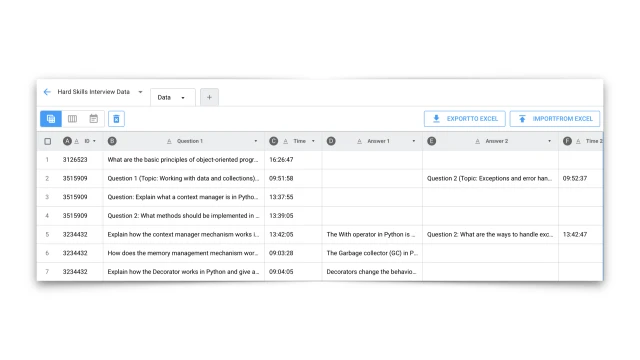
All questions, answers and test results are saved in a table.
The script can be easily supplemented with others. For example, pre-qualify candidates; send those who pass the test to an interview.
How to set up a bot for testing applicants?
✔️ Register in the BuddyBot constructor, create a project and add the “Competency Interview with AI” template.
✔️ Connect the ChatGPT connection to the constructor and add the AI installation.
✔️ If necessary, connect the messenger in the “Settings” section.
✔️ Test the bot.
⚙️ There are detailed setup instructions inside the template.
If you have any questions about self-setup, write to the community in Telegram.