 Talpha









How it works
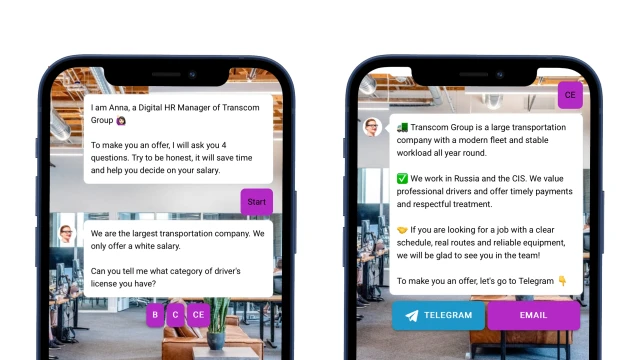
In the first message, the bot explains why to take the survey. Then it learns about experience, skills, readiness for business trips, etc. To increase interest in the vacancy, you can simultaneously talk about the advantages of the company.
Depending on the candidate's answers, the bot suggests the following steps. If a person is not suitable, then it recommends this vacancy or look at other relevant vacancies in the company.
If the candidate has passed the selection process, it suggests switching to a messenger (Telegram, WhatsApp). This way you receive the contact of the applicant and are be able to interact with him, for example, to send warming messages. At this stage, it is also important to present the company – to show a short, engaging video about you.
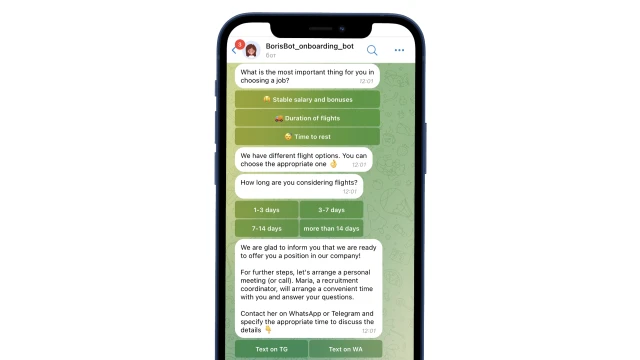
In the messenger, the bot personalizes the offer for each candidate. It clarifies what is more important to them: a stable salary, proximity to home or career growth — and talks about the vacancy with this in mind. Then it makes an offer and suggests to do a test assignment, send documents, sign up for an interview or write to you in a messenger to discuss the details.
How to set up the bot
✔️ Register in the BuddyBot constructor, create a project and add the "Employee Qualifications" template.
✔️ Prepare the questions and edit the script in the constructor. You can find out how to work in scripts here.
✔️ To make your bot work in messengers, connect these channels in the constructor according to the instructions: Telegram.
✔️ Test the script on yourself. If you have any questions about self-configuration, write to the community on Telegram.
Look for even more ready-made bots for HR here.