 Talpha








How it works
You post a link to the bot on the Telegram channel or on external platforms.
• Pinned message in the channel — with the “Support author” button
• Bio channel — a short link to the bot
• In posts with important content, unobtrusively offer support: “If it was useful, you can support it here.”
• Automatic message from the bot — if a subscriber joined the bot from the channel, he immediately sees a greeting and a donation button.
• In social networks
• On the author's website or blog
The subscriber launches the bot and receives a welcome message. The bot thanks you for your interest in the project, offers to support the author and receive a bonus.
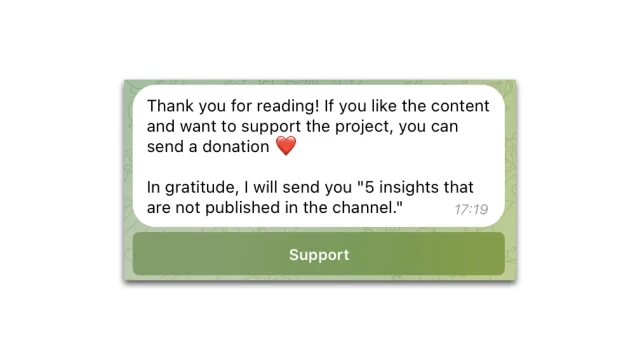
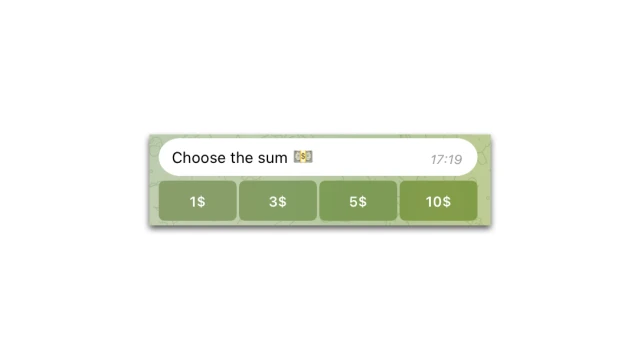
A subscriber pays for a donation in one click. You can connect a payment system (Stripe).
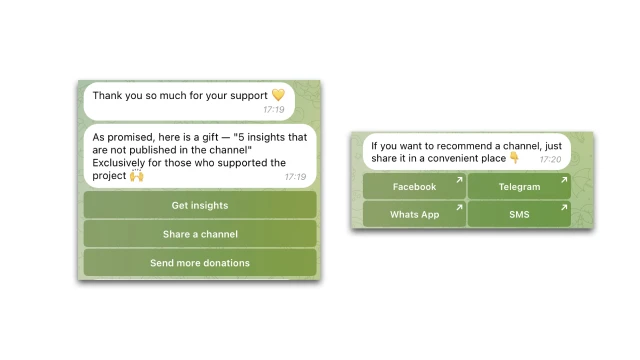
The bot thanks you for the donation and offers to receive a bonus / share the channel. It sends an exclusive post, but you can also give access to a private club, send a promo code for partner services and a “thank you” voice message, etc. The bot supports sending files: pictures, documents, videos. He can add people to Telegram groups and transfer them to the necessary resources.
Also in the example, the bot offers to share the channel – a subscriber can do it in just one click. You can add and configure different options.
How to set up the bot
✔️ Register in the Buddybot constructor, create a project and add the bot for donations.
✔️ Connect Telegram to the project.
✔ Add the bot to the Telegram channel according to the instructions.
✔️ Edit the script.
✔️ Set up the payment system in the "Settings" section.
✔️ Test the script yourself.
If you have any questions about self-configuration, write to the community on Telegram.