 Talpha







How does it work
Add the bot to your Slack workspace. Employees click a button and ask a question in free form.
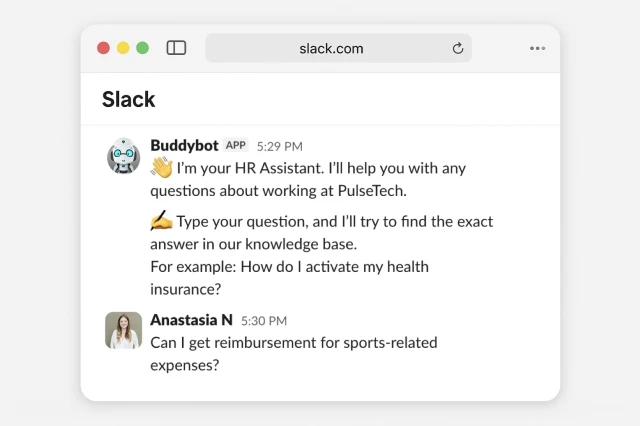
The bot searches the company’s knowledge base, which contains instructions, policies, and FAQs. Based on this information, it provides a short and clear answer.
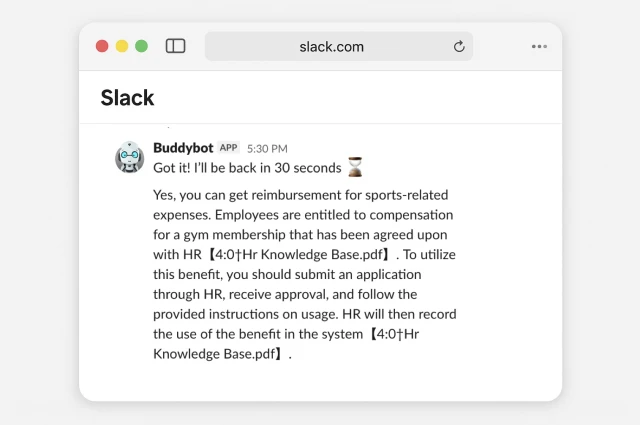
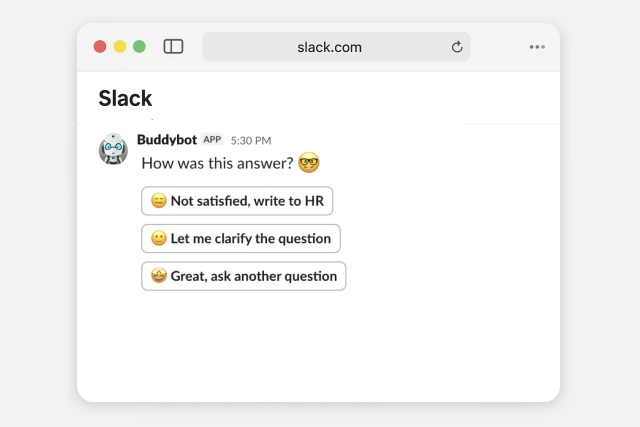
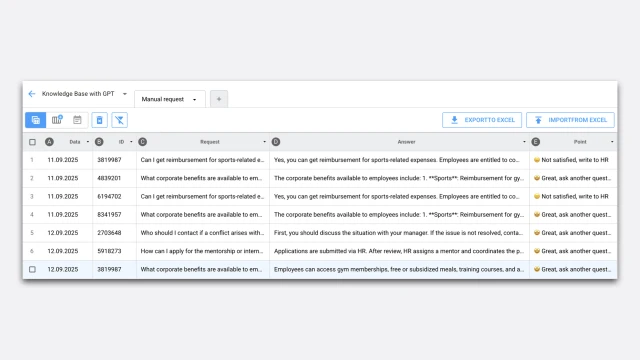
At the end of each response, the bot asks whether the answer was helpful and invites the employee to rate it. If the answer is inaccurate or the information is missing from the knowledge base, the bot honestly states this and offers to forward the question to an HR specialist.
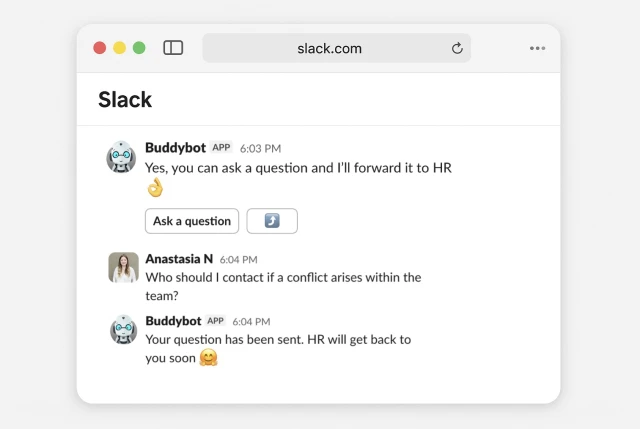
All questions and ratings are recorded, allowing HR to see which topics are not covered in the knowledge base and update it accordingly.
How to set up this bot
✔️ Sign up in the builder, create a project, and add this template (5 minutes).
✔️ Prepare a PDF with your company’s knowledge base (0–3 hours).
✔️ Set up the ChatGPT integration (5 minutes). Using AI requires token payments.
✔️ Connect the bot to Slack through the "Settings" section in the builder. You need to create an app and add it to your workspace (5 minutes).
✔️ Configure the script. After adding the template, you’ll find setup instructions inside.
✔️ Test the scenario (10 minutes).
Setting up the template takes up to 3 hours.
Additional recommendation: We suggest regularly reviewing the request log and updating the knowledge base accordingly.
If you have any questions while setting it up, reach out to the community in the Slack channel #hr.