 Talpha










How does it work?
The bot is embedded into a website as a widget and activated by a trigger message. When a visitor gets on the site, the bot engages him in a dialogue and uses clarifying questions to clarify the problem.
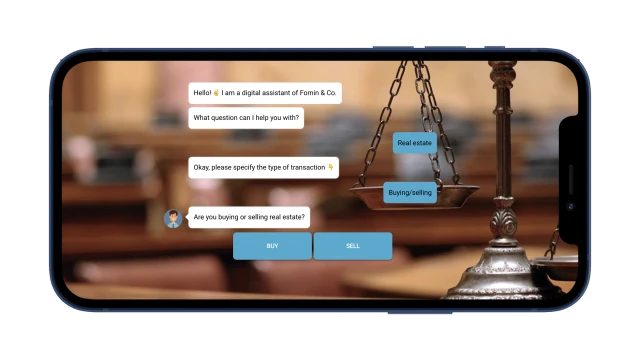
Depending on the answers, the bot offers useful material on the topic (lead magnet). Saves the contact and sends the file to the user via messenger or email.
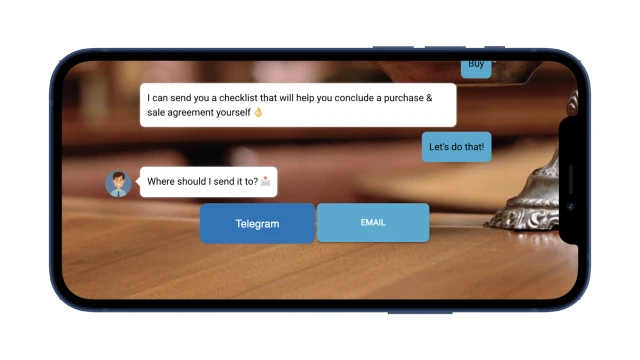
Then, within a few days, the client receives a useful newsletter about his problem. For example, if a person buys an apartment, the bot will tell you about the rules for registering property rights, upcoming expenses and possible risks. At the end of each message cycle, the user will receive an offer – legal advice with a 70% discount. You can make an appointment and pay for the service directly in the bot. Information about a new consultation will be sent to your email.

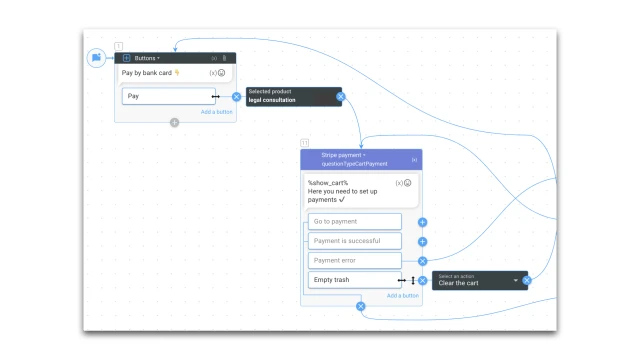
The chatbot’s internal tools make it possible to track the effectiveness of the auto funnel at each stage and generate reports. For example, you can track how many users viewed your newsletter and useful content.

What to do with the template?
1. Add a template to your project.
2. Place the widget on the website and configure the designer to launch a trigger message via “Event on site”.
3. Think about what kind of lead magnet to offer your client. You can create different scenarios for relevant target audience segments.
4. Create a warm-up script. Edit mailing messages and scripts.
5. Set up payment methods in the "Payment Settings" section.
6. Set up notifications about new applications to your email or messenger via the “Notifications” block or integrate your CRM system.
7. In the “Analytics” section, configure reports based on the script.
8. Test the bot.
If you have any questions, contact us on Telegram.