 Talpha











How it works
A user activates the bot by the link or QR code and switches to a browser or messenger. The bot clarifies the question and sends a script: if the request is typical, it offers materials for study, finds out the details on all other issues and continues the dialogue.
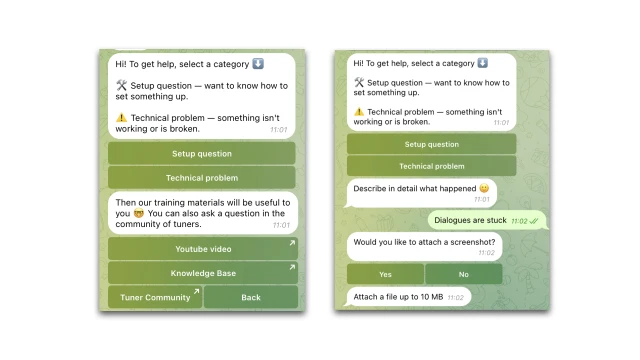
The bot asks for a contact and saves all the information on request in a table. This is a kind of CRM system that records important information about a request: date of receipt, content, status, responsible employee, etc. The table can be changed and customized.
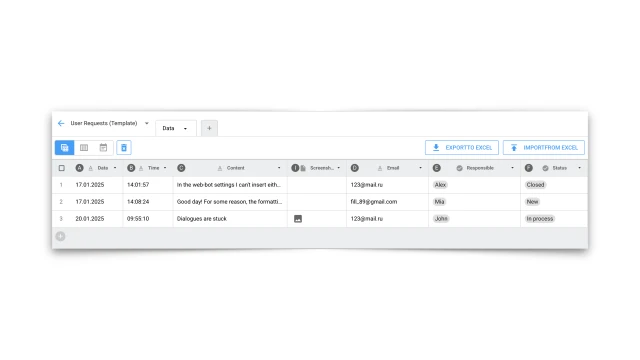
The bot then sends a letter about the new request to the responsible employees via email or Telegram.
How to set it up
✔️ Register in the BuddyBot constructor, create a project and add the "Service for receiving requests" template. A script and a table will appear in your project.
✔️ Edit the bot script.
✔️ Set up a table with requests.
✔️ If necessary, connect a messenger in the "Settings" section.
✔️ Test the bot.
If you have any questions about self-setup, please refer to the Knowledge Base or contact our community on Telegram.