 Talpha







How does it work?
The bot is launched via the link, registers the employee and transfers the dialogue to Telegram.

At the scheduled time, the bot sends a cleaning task and the employee activates the checklist.
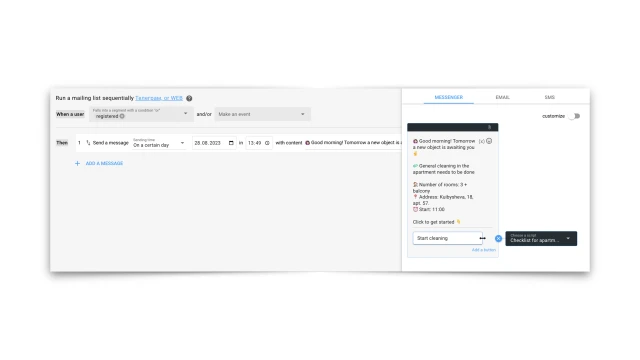
Then the bot sequentially issues tasks and records the fact and time of completion, and also saves a photo of the result at each stage.

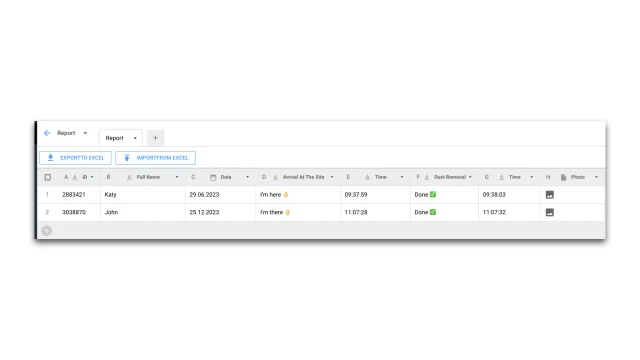
All data is automatically saved in the report.
What to do with the template?
- Create your project and add a template.
- Add the bot to the messenger: Telegram/VKontakte/Facebook.
- Prepare a checklist and collect it on the platform. This script can be copied to be used to save answers on other days.
- In the “Mailout” section, configure sending messages to the messenger. For each task you need to make a separate message with a transition to the checklist script.
- In the "Tables" section, configure the report to save employee responses.
- Test the bot.
If you have any questions, contact us on Telegram.