 Talpha









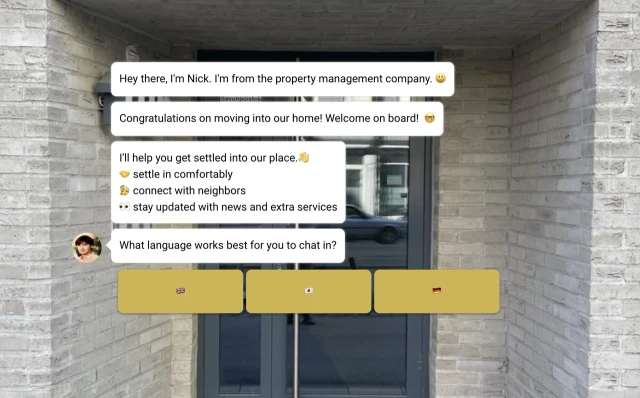
Step 1: Launch the bot via a link in any of the connected messengers. (The scenario can be integrated with CRM to enable the bot to start automatically.
It's better to customize the bot for each location. We recommend is choosing the language for the dialogue. You can quickly generate a translated script using ChatGPT.
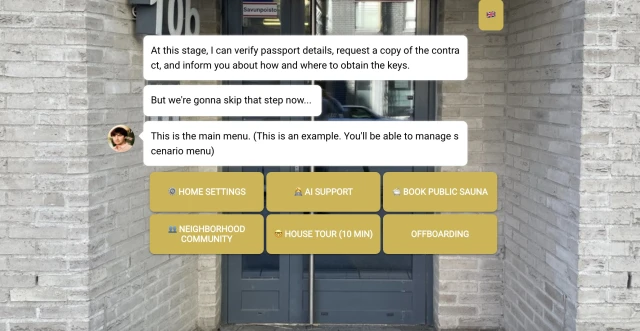
Step 2: The bot can verify documents, sign contracts, request a copy of the contract, and grant access to the home menu.
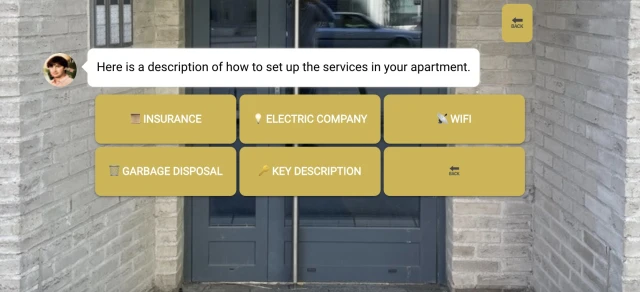
Step 3: For a new resident, it's important to describe what needs to be done to start living in the apartment, such as how to connect to the internet, purchase insurance, and pay for electricity. We also recommend creating tours of the residential areas to make it easier to navigate.
Step 4: However, new residents will still have questions. To address them, we recommend using an AI assistant to be on the front line of responses and promptly assist new residents.
Some property management companies offer paid services. The bot can make bookings and collect prepayments for them using Stripe.
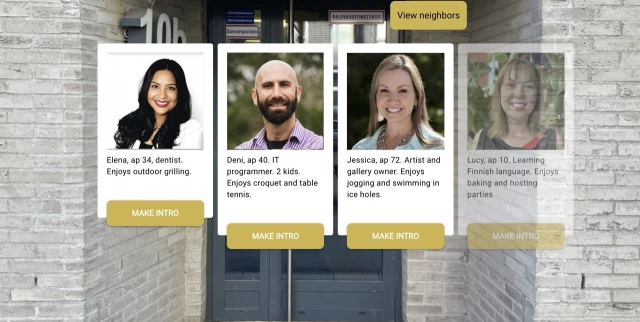
Step 5: An important part of comfortable living is the community of neighbors. The bot can moderate the community in Slack and Telegram, introduce new members, congratulate residents on their birthdays, and much more.
How to set up
1. Sign up on the Nocode Builder
2. Copy this script into your project.
3. Schedule a demo with us to set up GPT and learn how to send scheduled message chains for new residents.